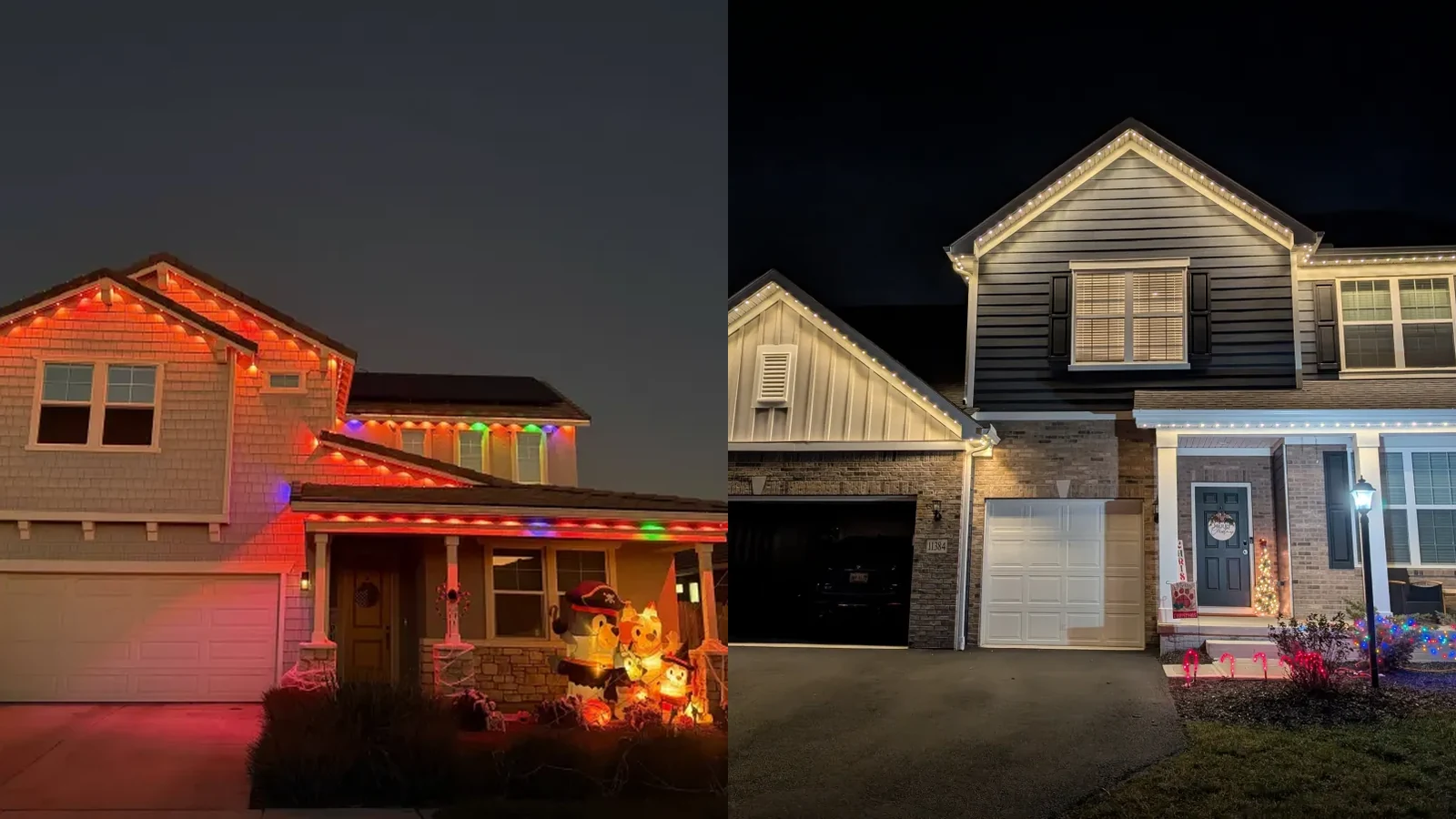
Key Takeaways
- Both apps can do the same things: change colors, run themes, sync to music, schedule on/off times, voice control through Alexa or Google Home.
- The real difference is how easy they are to actually use day to day. Govee is more complex.
- Most pro-grade installers build their own branded apps. Some are great, some are clunky.
- We use the original factory app instead of a branded one because it's cleaner and has every feature already built in.
- If you want individual light control, ask your installer not to use a Y splitter (or use 2 separate systems).
The honest truth about permanent lights apps is that Govee and professional grade systems can do almost exactly the same things. Change colors, run themes, schedule on/off times, sync to music, voice control. All of it.
The real difference is in how easy they are to actually use after the install. Here's what to expect with each.
What Both Apps Can Do
- Change all the lights to one color. Warm white, regular white, red, green, blue, anything you want.
- Make the lights move or blink. Waves, fades, chasing effects, flashes.
- 100+ built-in themes. Both come with a big library of themes for every holiday and occasion. You can also create your own.
- Sync to music. This one confuses people. It's not a speaker. Your music plays from your phone or a JBL or any speaker, and the lights move with the beat. Not perfectly accurate, but a fun effect for parties.
- Playlist mode. Queue different themes back to back. Red and green for 5 minutes, switch to white for 3 minutes, then a Christmas pattern.
- Schedule on/off times. Turn on at 8pm, off at midnight, every night automatically. You can also schedule specific themes on specific days (like red and green from Thanksgiving through New Year's).
- Voice control. Both work with Alexa and Google Home. "Hey Alexa, turn on the Christmas lights."
A Quick Tour of the Pro Grade App
Here's what the professional grade app actually looks like across the main screens. This is the same app we set up for every customer.
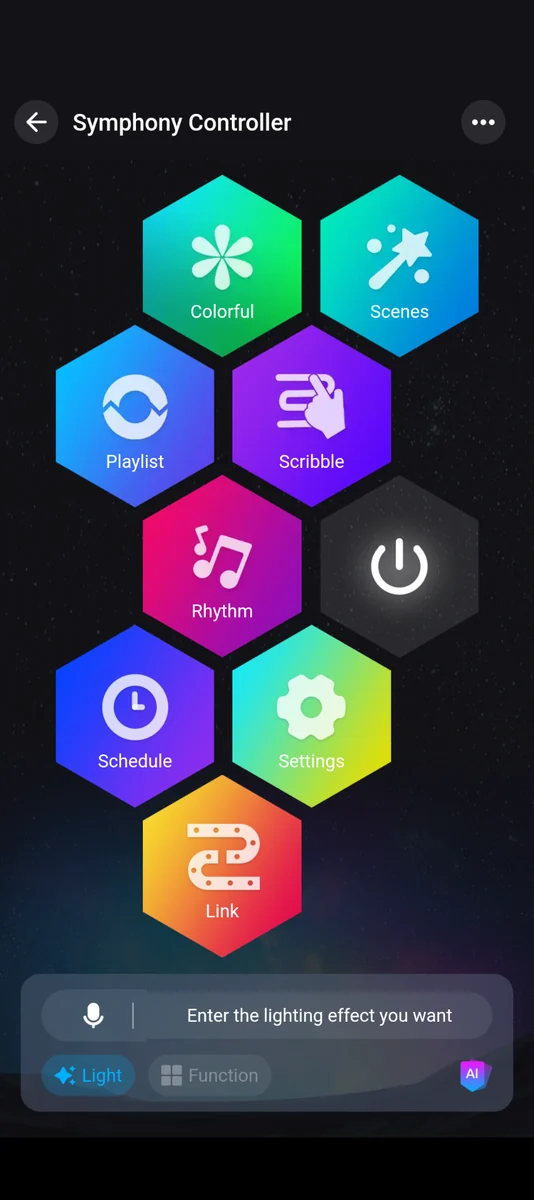
Symphony Controller
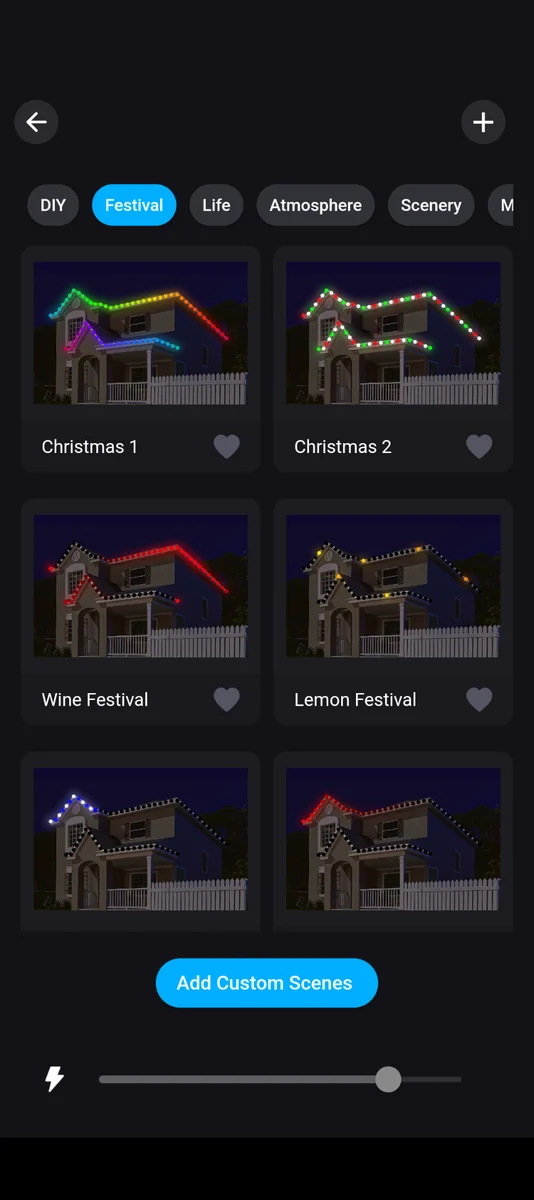
Festival themes
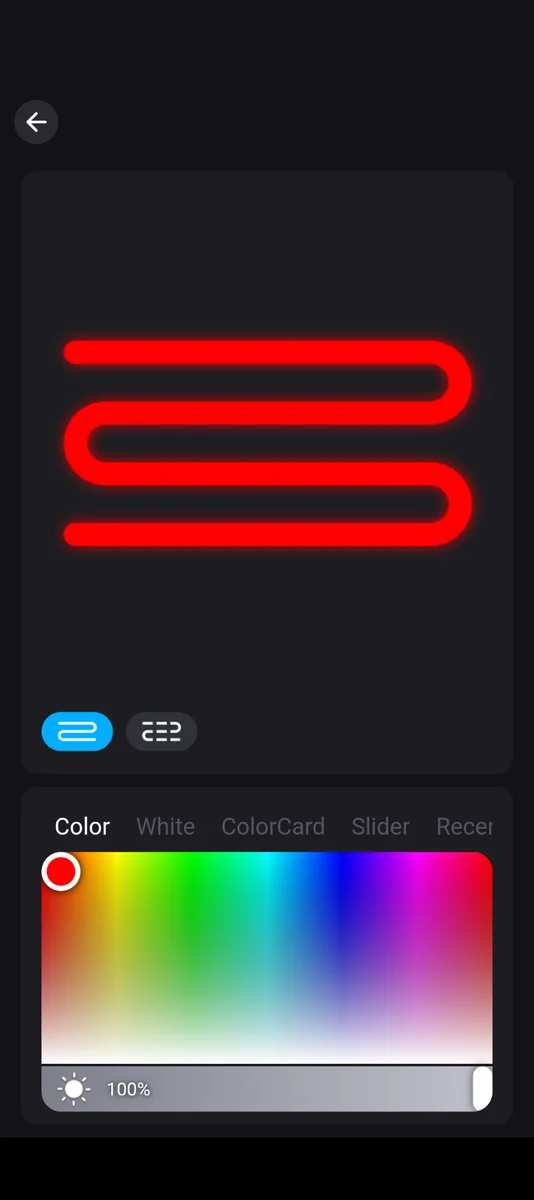
Full RGB picker
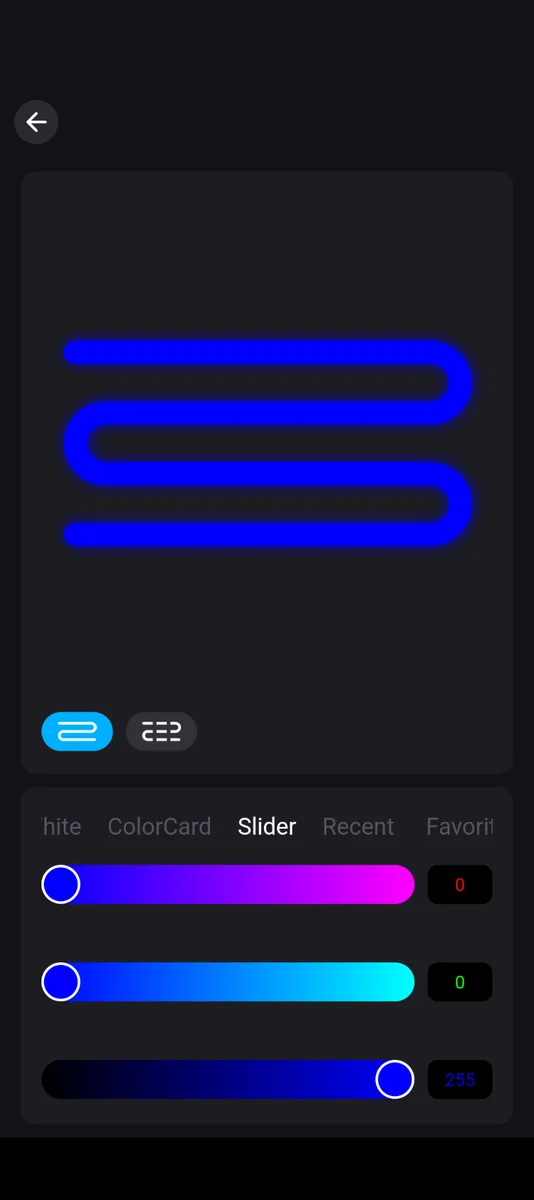
Fine RGB control
One thing you'll notice: every section is one tap from the home screen. No menus inside menus. No "where did that feature go" moments.
A Quick Tour of the Govee App
For comparison, here's the same kind of tour through the Govee app. Same features, same capabilities, very different feel.
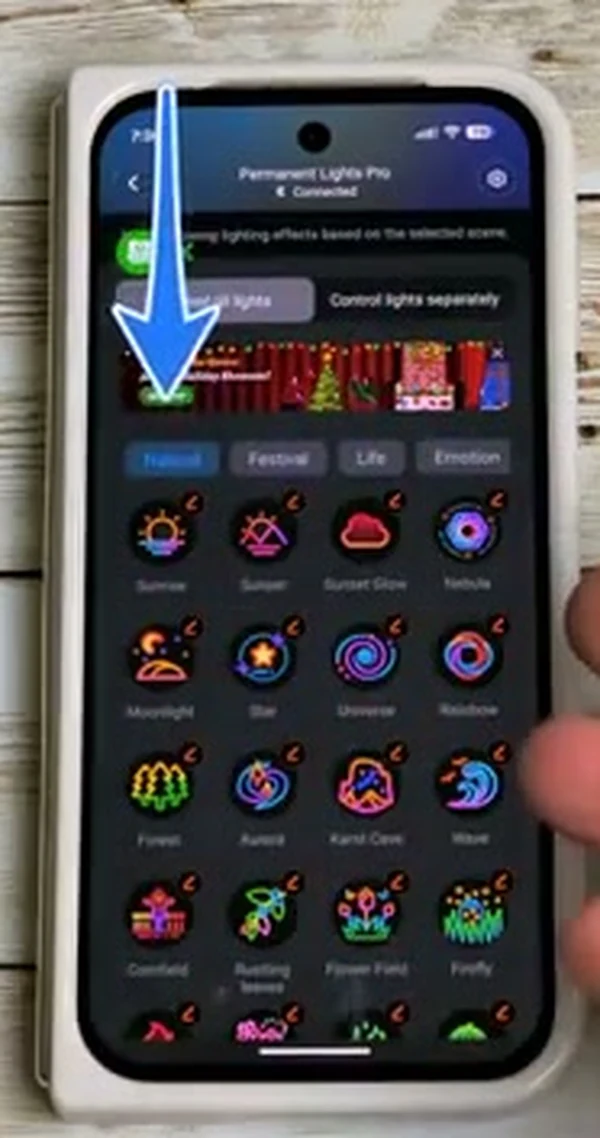
Natural / Festival / Life
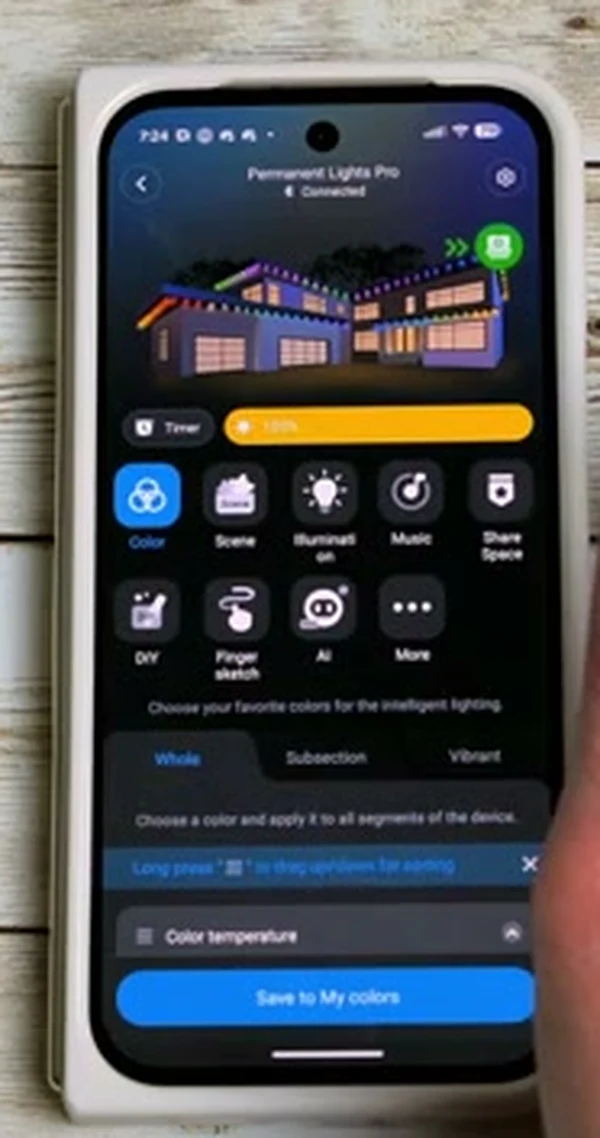
Whole / Subsection
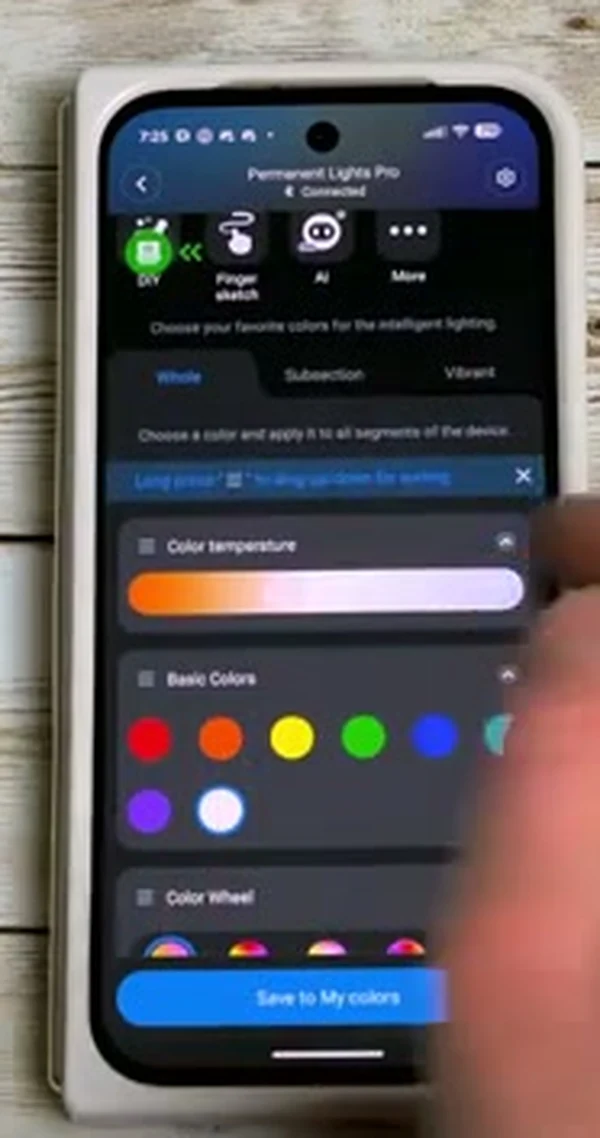
Temperature + basics
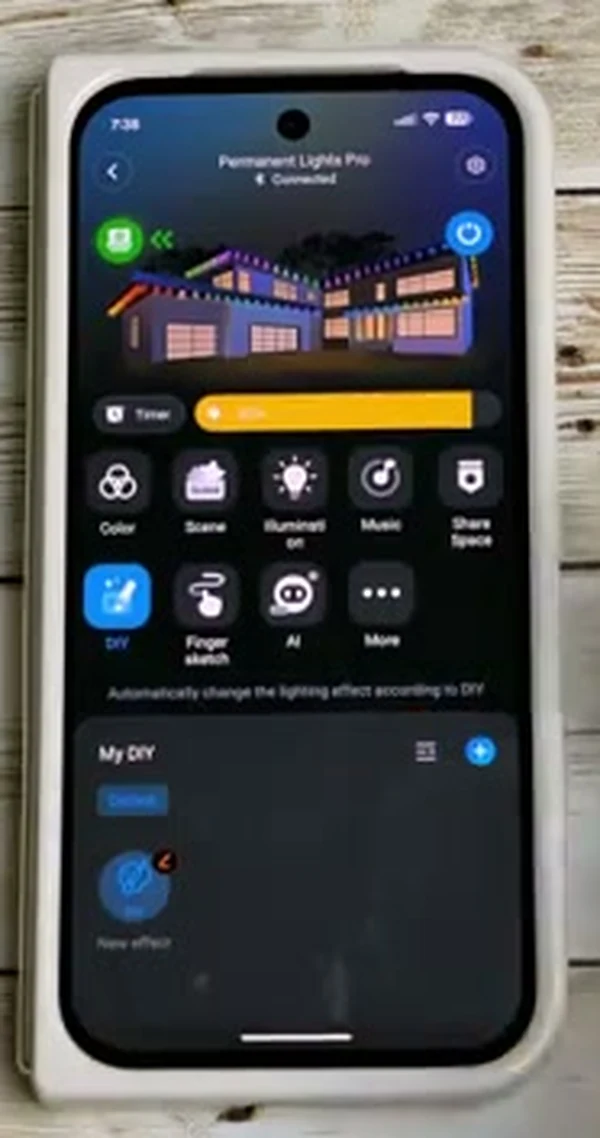
Custom effects
Same features, but you'll notice the layout is busier. The Govee app handles all of Govee's products (light bars, strip lights, holiday lights, smart bulbs, sensors), so a lot of what you see is unrelated to your outdoor lights. It works, it just takes more taps and more figuring out.
Where They Actually Differ
The capabilities are basically the same. What actually differs is the experience of using the app day to day. The pro grade app is way simpler because we designed it to be simple: every main feature one tap from the home screen, no clutter from other products, no ads in the way. The Govee app does the same things, just buried a few menus deeper.
Govee App
- More complex layout
- Even tech-comfortable people get overwhelmed at first
- You'll need a tutorial to find half the features
- Same app handles all Govee products, so it's bloated
- Shows ads inside the app
- Free, available on iOS and Android
Professional Grade App
- Usually simpler, but depends on the company
- Some installers build their own branded apps
- Branded apps are sometimes great, sometimes clunky
- We use the original factory app — cleaner, has every feature
- No ads (at least in the app we use)
- Free, iOS and Android
Most professional grade installers in Columbus build their own branded app for marketing. Some of those apps look polished and work great. Others are stripped-down versions of the factory app that take features away.
At our company we use the original factory app instead of a branded one because it's cleaner and already has every feature. Ask any installer to show you the app before you sign, not after.
The Y-Splitter Catch (Important if You Want Individual Light Control)
Both systems can control each individual light bulb, but only if the install was done in a single continuous run.
Here's why. The system identifies each light by its position in the line. Light 1 is first, light 50 is last. If your installer uses a Y splitter (which many houses need because of direction changes), the data line splits too. After the split, light 1 now exists on both sides of the Y, so when you try to light up "light 1" only, both sides light up at the same time.
99% of homeowners never use individual light control, so for most people this isn't a problem. But if you really want that feature (chasing effects, pixel-level animations), tell your installer upfront. They can either plan the install without a Y splitter, or use a second system to avoid the split.
How You Learn the App
Once the install is done, your installer should either walk you through the app on the same visit or send you a short tutorial video you can watch at your own pace.
For Govee specifically, there are also plenty of official Govee tutorial videos on YouTube. You can self-serve if you're comfortable with apps.
What you don't want is an installer who sets up the system and walks away without showing you how to use it. Ask before you sign: "Are you going to walk me through the app, or send me a video, or do I figure it out myself?" If they don't have a clear answer, that's a warning.
The Takeaway
Both apps can do the same things. If you're going Govee, plan on watching a tutorial. If you're going professional grade, ask to see the app before you commit. Both are fine. Just don't let app capability be the deciding factor, because both win on features.
The decision should come down to the things that actually differ between the products: daytime look, nighttime spacing, lifespan, warranty, and price. The app is more or less a wash.